








Best practices for writing knowledge base articles
8th October 2026
Whether you are launching a customer support centre, an internal staff handbook, or product documentation, having a well-structured help centre is essential. A great knowledge base doesn't just happen; it requires clear, concise content that anticipates your readers' needs and answers their questions quickly.
Using a dedicated tool like Webfactory KnowledgeBase, making sure you have the right writing habits and putting them into practice will help your users find what they are looking for easily.
In this blog, we’ll share practical, SEO-friendly tips on how to write effective knowledge base articles that help your users find what they need quickly.
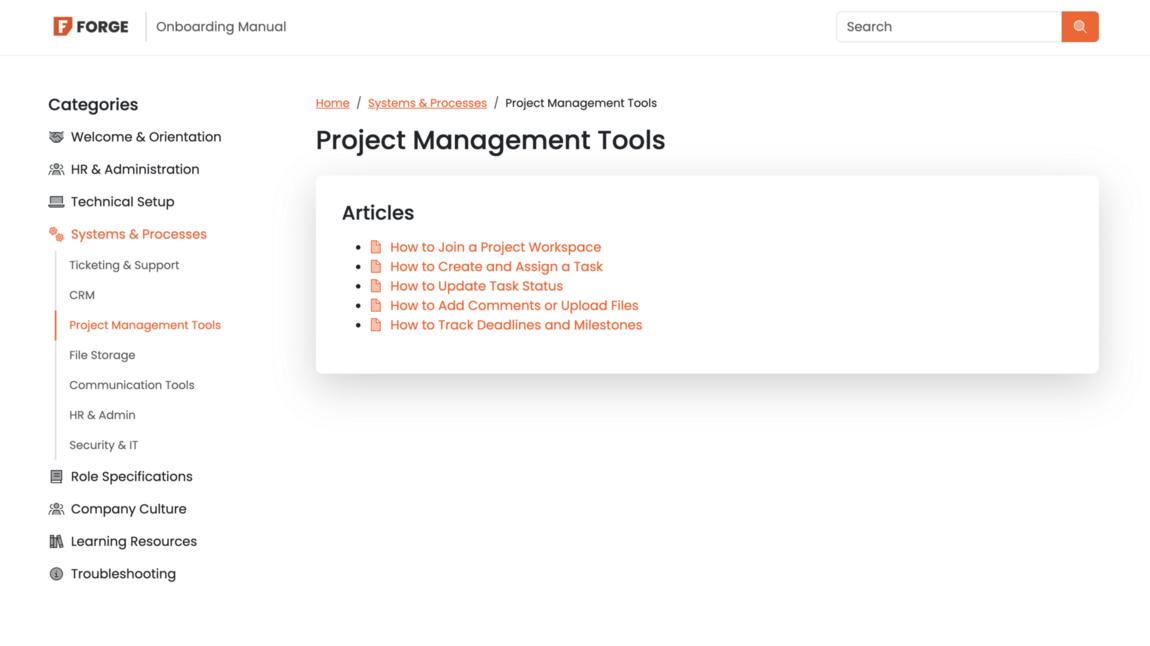
Image: KnowledgeBase showing search-friendly titles.
1. Start with a clear, search-friendly title
Your title is the first thing people and search engines will see. For good SEO and user experience, your titles should be direct and action-oriented.
Use natural phrasing
Think about what words your users type into a search bar. Instead of a vague title like 'Password Issues', use 'How to reset your account password'.
Keep it concise
Clear titles help search functionality pinpoint the exact guide a user needs instantly.
2. Know your audience and keep the language simple
Not every reader will be a technical expert. When writing your guides, avoid heavy jargon unless it is completely necessary for your industry.
Keep it simple
Write as though you are explaining the process to a friend for the first time.
Break it down
Break down complex, multi-step processes into bite-sized pieces.
3. Structure your content with headings and bullet points
Big blocks of text are difficult to read, especially for users who are troubleshooting a problem in a hurry.
Use Headings
Breaking your article into logical sections with clear headings makes it easier to scan. It also helps search engines understand the structure of your page for better SEO rankings.
Use bullet points and numbered lists
Step-by-step numbered lists are essential for tutorials, while bullet points work wonders for highlighting features.
4. Incorporate smart formatting and visuals
A picture is worth a thousand words, particularly in technical documentation or product onboarding guides.
Use screenshots
Whenever a step involves clicking a specific button or navigating a dashboard, include a clearly annotated screenshot.
Highlight key warnings
Use bold text, callout boxes, or note sections to highlight important warnings (e.g. “Note: This action cannot be undone”).
5. Keep articles short and focused
Try to cover one specific topic or question per article. If you find yourself writing a massive guide that covers five different processes, it is usually best to split them up into separate but connected articles. This makes your content easier to update later and keeps your search results tidy.
Summary
Writing great knowledge base articles is all about putting your reader first. By using clear, search-friendly titles, breaking up text with headings, keeping your language jargon-free, and utilising visual aids, you can drastically reduce customer support queries and boost user satisfaction.