










Access control & privacy: keeping internal content secure
10th September 2026
A knowledge base can act like a giant digital library for your business. Depending on your needs, it can hold important instructions, helpful guides, and training manuals in one easy-to-access place. Some of this content may be intended for everyone to see, while other information, such as company rules, secret recipes, or staff handbooks, may be private and intended only for your staff. So, what do you do when you need to keep things private? That’s where access controls come in.
In this blog, we’ll explain how access controls work and why they can help keep your knowledge base content secure.
How do access controls work?
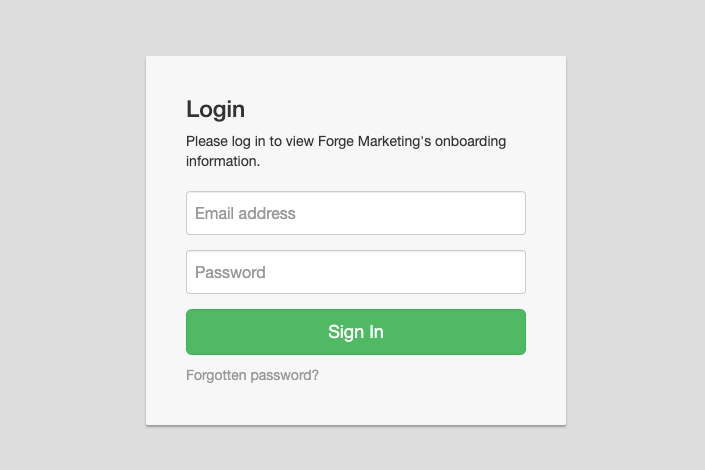
Access controls are like different types of locks on your front door. They keep out those who don’t have permission and give access to those who do. Our Premium-tier knowledge base software gives you simple ways to lock things down, so you stay completely in control:
Usernames and passwords
Just like logging into your email account, every person gets their own login name and secret password. If a user doesn’t have one, they can’t get in.
IP address whitelisting
This sounds tricky, but it is actually quite easy. Every computer or office internet connection has a unique digital address (an IP address). With whitelisting, you can tell your knowledge base: "Only let people in if they are using the internet connection at our main office." Anyone trying to peek from outside that trusted network is blocked automatically.
Why are these controls so helpful?
Having access controls keeps your digital library safe. Keeping your private stuff private does not have to be hard. With built-in access controls, you can build a helpful online space for your team while keeping all the lock-and-key security in your own hands. You get:
Total privacy for your business
You can share sensitive company secrets, staff training guides, or new project plans without worrying about competitors or the public seeing them.
No messy mix-ups
Customers will not accidentally stumble onto internal staff guides meant only for employees, and your team will not mix up customer help articles with company paperwork.
Peace of mind
You sleep better knowing your data is locked away safely, and you get to decide exactly who holds the keys.
Summary
If your knowledge base contains company information, access controls can help keep it private online. By using access controls like usernames, passwords, or IP address whitelisting, you create a digital security guard that ensures total business privacy, prevents mix-ups between public and internal content, and gives you complete control over who sees your data.